
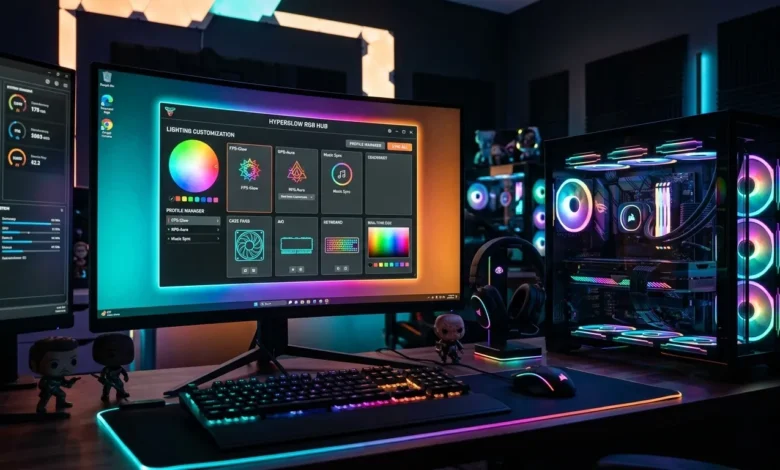
If you use gaming peripherals like keyboards, mice, or RGB lighting devices, you have probably heard about iCUE software. Many users search for it to control their devices, customize lighting, or fix problems when things stop working.
This guide is designed to help you with everything in one place. You will learn what iCUE software is, how to download and set it up, and how to fix the most common issues users face.
What Is iCUE Software?
Corsair iCUE is a powerful application developed by Corsair. It allows you to control and customize Corsair devices from a single platform.
With iCUE software, you can manage RGB lighting, adjust performance settings, and sync multiple devices together. It works with keyboards, mice, headsets, cooling systems, and more.
Instead of using separate tools for each device, iCUE brings everything into one dashboard.
How to Download iCUE Software Safely
Most users search for iCUE software because they want to install it. The safest way to download it is from the official Corsair website.
First, visit the official site and go to the downloads section. Choose the latest version of corsair icue software that matches your operating system. Download the installer and run it on your computer.
Avoid downloading from random websites because they may include harmful files. Always use official sources to keep your system safe.
Also Read: Logitech Unifying Software: Install, Setup & Fix Guide
Key Features of iCUE Software
iCUE software is popular because it offers powerful features that improve your overall experience.
One of the main features is RGB lighting control. You can customize colors, effects, and patterns for your devices. You can also sync lighting across multiple devices to create a unified look.
Another important feature is performance control. You can adjust fan speeds, monitor system temperature, and manage cooling settings.
The software also allows you to create custom profiles. These profiles help you switch settings quickly depending on your activity, such as gaming or work.
Also
How to Set Up iCUE Software
Setting up corsair icue software is simple if you follow the right steps.
After installing the software, open it and connect your Corsair devices. The system will automatically detect supported devices.
Once detected, you can start customizing settings. You can adjust lighting, assign buttons, and create profiles.
Take some time to explore the interface. Understanding the layout will help you use the software more efficiently.
Common iCUE Software Issues and How to Fix Them
Many users face problems while using icue software corsair. The good news is that most issues have simple solutions.
iCUE Not Detecting Devices
This is one of the most common problems. It usually happens when drivers are outdated or devices are not connected properly.
You can fix this by reconnecting your device, updating drivers, or restarting the software.
iCUE Not Opening
If the software does not open, it may be due to background errors or corrupted files.
Try restarting your computer or reinstalling the software. This often solves the issue.
RGB Lighting Not Working
Sometimes RGB lighting stops working or does not sync correctly.
You can fix this by resetting lighting settings or updating the software to the latest version.
High CPU Usage
Some users notice that icue software corsair uses too much CPU.
To fix this, close unnecessary background tasks or update the software. New updates often improve performance.
Tips to Use iCUE Software Like a Pro
To get the best experience, you should learn how to use advanced features.
Create multiple profiles for different tasks. This helps you switch settings quickly.
Keep your software updated to avoid bugs and performance issues. Updates often bring new features and improvements.
If you are interested in how such tools are tested for performance and reliability, you can explore software testing strategies, which ensure software works smoothly under real-world conditions.
Is iCUE Software Safe to Use?
Yes, icue software corsair is safe if you download it from the official source. It is developed by Corsair, a well-known company in the gaming industry.
Problems usually occur when users download modified or unofficial versions. Always use the official version to avoid risks.
Are There Alternatives to iCUE Software?
There are other tools available for managing RGB and device settings, but iCUE remains one of the most advanced options for Corsair users.
If you use devices from other brands, you may need their specific software. Each brand usually provides its own control system.
Conclusion
iCUE software is a powerful tool for managing and customizing your devices. It gives you full control over lighting, performance, and system settings in one place.
Whether you want to download it, set it up, or fix issues, understanding how it works makes everything easier. Most problems have simple solutions, and with the right approach, you can use the software without any trouble.
If you want more helpful guides like this, you can explore our homepage to find more content on software and technology.
FAQ
What is iCUE software used for?
Corsair icue software is used to control and customize Corsair devices, including lighting, performance, and profiles.
Is iCUE software free?
Yes, it is free to download and use.
Why is iCUE not detecting my device?
This may happen due to outdated drivers or connection issues. Updating drivers and reconnecting the device can fix it.
Can I uninstall iCUE software?
Yes, you can uninstall it like any other program from your system settings.
Does iCUE affect performance?
It may use some system resources, but updates usually improve performance and reduce CPU usage.